Interactive Whiteboards
Mansa Musa Lesson Plan: Global Connections
Posted by rachele on
*Click to open and customize your own copy of the Mansa Musa Lesson Plan.
This lesson accompanies the BrainPOP topic Mansa Musa, and supports the standard of analyzing the roles of interregional t...
Using BrainPOP’s Quizzes with Promethean’s LRS
Posted by Andrew Gardner on
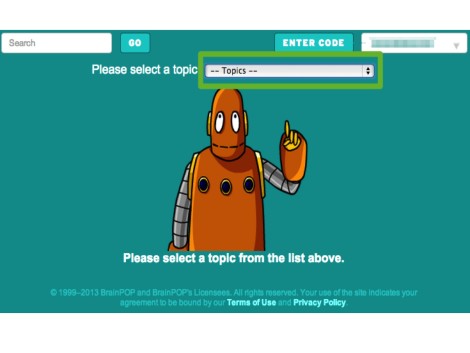
We'd like to thank those of you who have contacted us to express interest in continued use of our quizzes with ActivExpression and ActiVote. The integration of BrainPOP quizzes with these learner resp...
Top 5 Tips for Accommodation Using BrainPOP
Posted by Andrew Gardner on
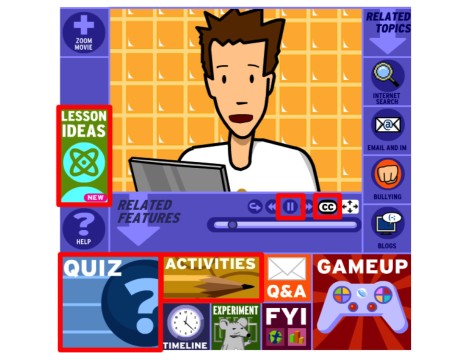
These tips on accomodation using BrainPOP help students with various learning styles in every setting. In this guest blog post, BrainPOP's Summer POPstar in Residence, Mike Jones, shares his top 5 tip...

Guest Blogger Felecia Young: BrainPOP and ActivExpressions
Posted by cemignano on
Guest blogger, Felecia Young, is a 9th grade math teacher at Salisbury High School, in Salisbury NC. She is a passionate educator committed to creating an educational environment where all students ca...
BrainPOP Guest Blogger: Todd LaVogue’s Award Winning Project
Posted by cemignano on
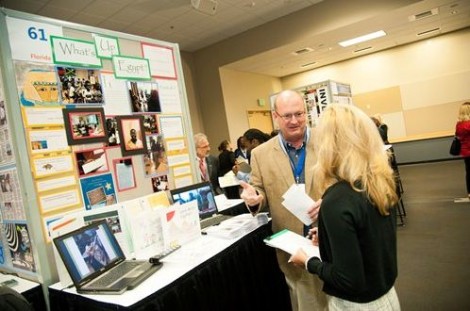
Our new guest blogger is Roosevelt Middle School educator Todd LaVogue, who recently received the first-place Educators Choice Award for his project “What’s Up Egypt?” during Microsoft's Partners in L...

Top 5 Highlights of Promethean and BrainPOP Together at ActivLoudon Plus!
Posted by Andrew Gardner on
Dr. Kari Stubbs, VP of 21st Century Learning at BrainPOP, presented the keynote presentation on educational games at the ActivLoudon Plus conference on March 24th. The event brought together 500 educa...
Executive Command Brings Civics Education to Life!
Posted by Andrew Gardner on
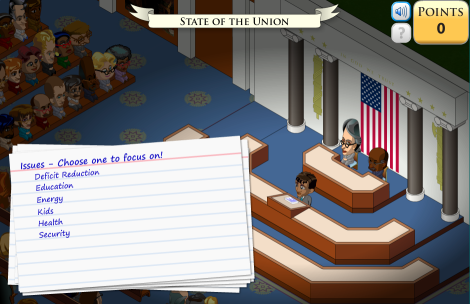
Guest Blogger Brian M. Adams teaches at Copeland Middle School in Rockaway, NJ. He is caretaker of historyknowledge.com. He is a certified nerd and has no relation to the Canadian rock star.
...
Webinar: Science Class With GameUp
Posted by Andrew Gardner on
Note Later Starting Time: Wednesday, February 29 6:30PM ET
Join 4th-grade teacher and BrainPOP advisor Robert Miller for an in depth exploration of using GameUp games in science class. Learn how pl...

BETTer get Psyched Up!
Posted by Andrew Gardner on
This week, our friends across the pond at BrainPOP UK will be sharing the BrainPOP love at BETT: England's largest Education Technology extravaganza. Not only will you find BrainPOP UK on the exhibit...
Share Your Clipart Projects!
Posted by Andrew Gardner on
Ahh, the weeks before holiday break: sentiments of joy and unrestrained excitement compete with the realities of extreme distraction and stress. In other words, it's hard to get a lot done! At BrainPO...


