Home
Resources
Planning
Newbies
Training
Funding

Student Made Games

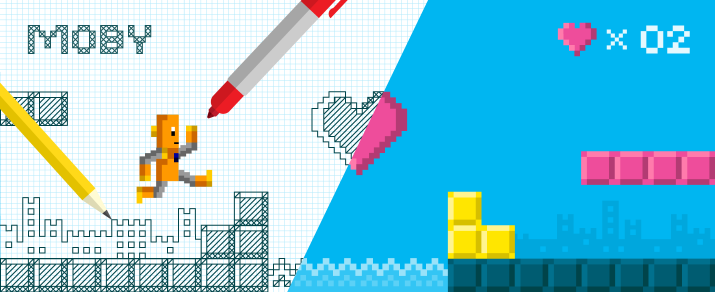
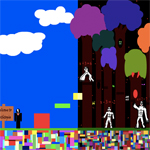
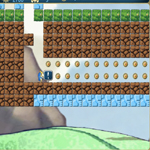
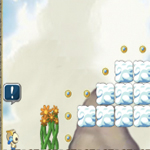
Your students can’t get enough? Not the worst problem to have! Check out these games created by other students, and invite your students to create their own. Gamestar Mechanic offers an outstanding Getting Started Teacher Pack, full of pedagogy behind Gamestar Mechanic, an approach to using Gamestar in your class, directions on how to navigate the game itself, and 5 introductory lessons to use with your class — in addition to many more resources.

Student Made Games

Alternative Energy Source

Earth’s Fossil Fuels

Extreme Depths

Nuclear Power

Recommended Game Making Tools

Gamestar Mechanic

Scratch

GameSalad

Game Maker

MineCraft

29 comments on “Student Made Games

  1. I don’t like that you are directing kids here to other websites. When you go to the websites, kids are exposed to advertising. No advertising was one of the wonderful aspects of Brain Pop. This is very disappointing.

    • Thanks for sharing your concern. Which game(s) in particular are you referring to? GameUp is definitely a new direction for us — we’ve always been extremely protective about linking to outside websites, but we were careful to partner with what we feel are the best quality games out there, and they are associated with respected organizations (for example, iCivics is an educational non-profit, our math games are from the National Council on Teaching Math, Blood Typing is from NobelPrize.org, etc). We’re hopeful that we can maintain the degree of trust you’ve come to expect with BrainPOP, and we are willing to address any advertising concerns with our partners to see what we can work out. Any specifics you can provide would be most appreciated. GameUp is a work in progress for us, and we’re hoping the community will support us on this by not only submitting recommended games, but also reporting anything that seems inappropriate.

      • I think that the poser of the question meant the social studies games, which send you to Icivics, or Cell Command, which is telling you to buy the game from a 3rd party website, among others.
        -Galagas

  2. I think brainpop needs some more of thechnology games, so I am trying to make one of them. What sould I do after Imade it?

    • At the moment, we’re not adding any more student made games to our site. We’re happy to take a look at student or teacher made games — just send us a link!

  3. I have no programming experience but my 9-year-old is desperately wanting to learn to create games. Out of the Recommended Game Making Tools listed above, which one would best fit our needs – help from an unlearned parent, engage a young-in-maturity-but-capable-of-learning-like-a-7th-grader? I appreciate the input!!!

  4. Overwhelming, I know! I’d start with Gamestar Mechanic. It’s perfect for a 9 year old who wants to create games. There are a few getting started resources at the top of this page.

    If you’re interested, I’m happy to connect you to a colleague at Gamestar Mechanic. Just send me an email at allisynl@brainpop.com.

    Please keep us posted on how it goes!

  5. I teach K-8 computers and I would love to see some games and activities that teach more about computers, parts, and programs that are geared towards each of the ages I teach.

    • Thanks for the suggestion, Lindsey. We’ll see what we can come up with. Have you checked out Gamestar Mechanic? That could be a great resource for your upper grade students.

      Anyone have any suggestions for games about technology?

  6. I clicked on your link to mindcraft but it doesn’t seem to be working. I just get a blank screen with done indicated bottom left hand side of the screen. Can you check it? Thanks.

  7. I have a gamestar account, so I’d love to send a game in. I am making a food chain / food web game to publish. I’d be glad to submit it.

Leave a reply

Your email address will not be published. Required fields are marked *

You may use these HTML tags and attributes: <a href="" title=""> <abbr title=""> <acronym title=""> <b> <blockquote cite=""> <cite> <code> <del datetime=""> <em> <i> <q cite=""> <strike> <strong>